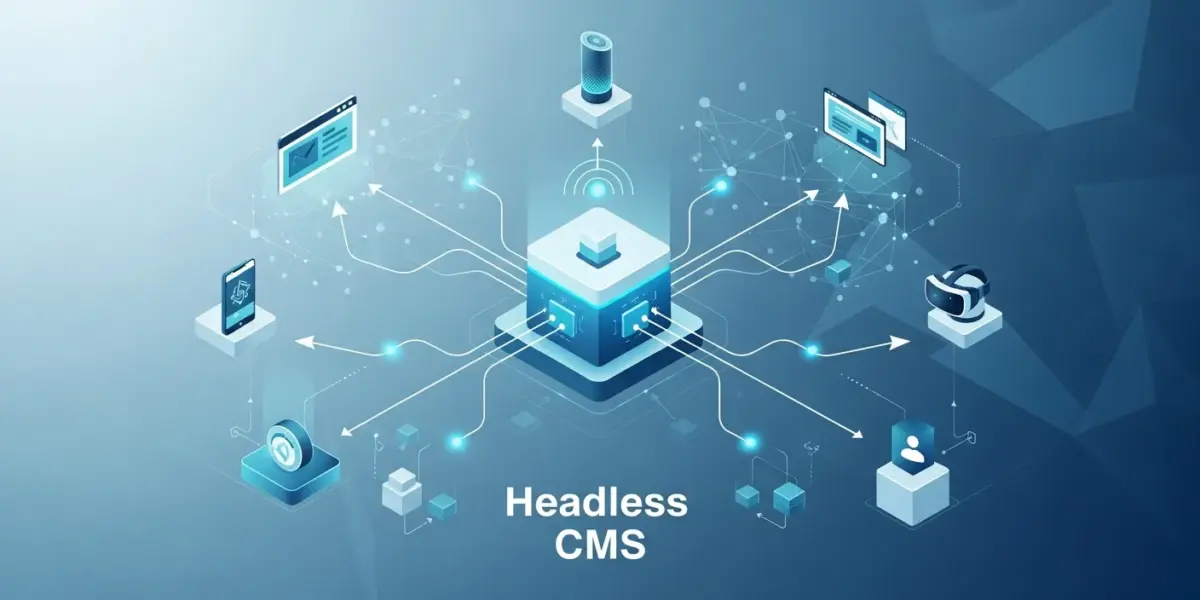
The way enterprises manage content has fundamentally shifted. Traditional monolithic CMS platforms are giving way to headless architecture, offering unprecedented flexibility, scalability, and omnichannel delivery. In 2025, choosing the right headless CMS can mean the difference between a seamless digital experience and a fragmented content nightmare.
With the global headless CMS market projected to reach $3.8 billion by 2027, enterprises are racing to adopt these modern content platforms. But with dozens of options available, how do you choose the right one for your organization?
In this comprehensive guide, we’ll explore the 10 best headless CMS platforms for enterprise in 2025, comparing their features, pricing, strengths, and ideal use cases to help you make an informed decision.
What is a Headless CMS?
A headless CMS decouples the content management backend from the frontend presentation layer. Unlike traditional CMS platforms like WordPress (in its standard configuration), a headless CMS delivers content via APIs, allowing you to push content to any device or platform—websites, mobile apps, IoT devices, digital signage, and more.
Key Benefits of Headless CMS for Enterprises
- Omnichannel delivery – Publish content once, deliver everywhere
- Technology flexibility – Use any frontend framework (React, Vue, Next.js, etc.)
- Better performance – Faster load times with static site generation and CDN delivery
- Scalability – Handle traffic spikes without infrastructure concerns
- Future-proof architecture – Adapt to new channels without rebuilding your CMS
- Enhanced security – Reduced attack surface with decoupled architecture
Quick Comparison: Top 10 Headless CMS Platforms
| CMS Platform | Best For | Starting Price | Open Source |
|---|---|---|---|
| Strapi | Custom enterprise solutions | Free / $99/mo | Yes |
| Contentful | Large-scale content operations | $300/mo | No |
| Sanity | Real-time collaboration | Free / $99/mo | Partial |
| Hygraph (GraphCMS) | GraphQL-first projects | Free / $299/mo | No |
| Prismic | Marketing teams | Free / $100/mo | No |
| Storyblok | Visual editing experience | Free / $106/mo | No |
| DatoCMS | Image-heavy websites | Free / $99/mo | No |
| Directus | Database-first approach | Free / $99/mo | Yes |
| Payload CMS | Developer-centric projects | Free / Custom | Yes |
| WordPress (Headless) | Existing WP infrastructure | Free / Varies | Yes |
1. Strapi – Best Open-Source Enterprise Solution
Strapi has emerged as the leading open-source headless CMS, trusted by enterprises like IBM, NASA, and Toyota. Its self-hosted nature gives organizations complete control over their data and infrastructure.
Key Features
- 100% JavaScript – Built on Node.js for modern development workflows
- Customizable API – REST and GraphQL out of the box
- Role-based access control – Granular permissions for enterprise teams
- Plugin ecosystem – Extend functionality with community and custom plugins
- Self-hosted or cloud – Deploy anywhere or use Strapi Cloud
- Media library – Built-in asset management with optimization
Pricing
- Community (Free) – Self-hosted, all core features
- Pro ($99/month) – Strapi Cloud with support
- Team ($499/month) – Advanced collaboration features
- Enterprise (Custom) – SSO, audit logs, dedicated support
Best For
Enterprises requiring full data ownership, custom integrations, and the flexibility to deploy on their own infrastructure. Ideal for organizations with in-house development teams.
2. Contentful – Best for Large-Scale Content Operations
Contentful is the enterprise heavyweight, powering content for brands like Spotify, Urban Outfitters, and Staples. Its robust infrastructure and mature feature set make it ideal for complex, large-scale content operations.
Key Features
- Composable content platform – Modular content architecture
- Contentful Studio – Visual editing for non-technical users
- AI-powered features – Content generation and optimization
- Extensive app marketplace – 100+ integrations available
- Multi-environment workflows – Staging, testing, production
- Global CDN – 99.99% uptime SLA
Pricing
- Free – 1 space, 5 users, limited API calls
- Basic ($300/month) – 20 users, 1M API calls
- Premium (Custom) – Unlimited users, enterprise features
Best For
Large enterprises with complex content workflows, multiple brands, and the need for enterprise-grade support and SLAs.
3. Sanity – Best for Real-Time Collaboration
Sanity offers a unique approach with its real-time, collaborative editing experience similar to Google Docs. Its flexible data structure and customizable studio make it a favorite among developers and content teams alike.
Key Features
- Real-time collaboration – Multiple editors, live updates
- GROQ query language – Powerful, flexible content queries
- Portable Text – Rich text as structured data
- Customizable Sanity Studio – React-based, fully customizable
- Content Lake – Hosted backend with real-time sync
- Version history – Track all content changes
Pricing
- Free – 3 users, 10GB bandwidth, 500K API requests
- Team ($99/month) – 10 users, 100GB bandwidth
- Business ($949/month) – 20 users, advanced features
- Enterprise (Custom) – Unlimited, SSO, dedicated support
Best For
Teams requiring real-time collaborative editing and developers who want maximum flexibility in content modeling.
4. Hygraph (formerly GraphCMS) – Best GraphQL-First CMS
Hygraph is built from the ground up with GraphQL, making it the ideal choice for teams already invested in the GraphQL ecosystem. Its content federation feature allows aggregating content from multiple sources.
Key Features
- Native GraphQL API – No REST, pure GraphQL
- Content Federation – Combine content from multiple sources
- Granular permissions – Field-level access control
- Localization – Built-in multi-language support
- Scheduled publishing – Plan content releases
- Webhooks – Trigger external workflows
Pricing
- Community (Free) – 2 seats, 1M API operations/month
- Professional ($299/month) – 10 seats, 5M API operations
- Scale (Custom) – Unlimited seats, enterprise features
Best For
Development teams building with GraphQL-first architectures and projects requiring content aggregation from multiple sources.
5. Prismic – Best for Marketing Teams
Prismic focuses on empowering marketing teams with an intuitive slice-based content model. Its visual page builder makes it easy for non-developers to create and manage landing pages.
Key Features
- Slice Machine – Component-based page building
- Visual page builder – Drag-and-drop interface
- A/B testing integration – Built-in experimentation
- Preview links – See changes before publishing
- Scheduling – Plan content releases
- Multi-language – Localization support
Pricing
- Free – 1 user, community support
- Starter ($100/month) – 5 users, premium support
- Medium ($350/month) – 15 users, advanced features
- Enterprise (Custom) – Unlimited users, SLA
Best For
Marketing-led organizations where content teams need autonomy to create and modify pages without developer intervention.
6. Storyblok – Best Visual Editing Experience
Storyblok bridges the gap between headless flexibility and visual editing. Its real-time visual editor allows content creators to see exactly how their content will appear while editing.
Key Features
- Visual Editor – True WYSIWYG editing experience
- Component-based – Reusable content blocks
- Real-time preview – Instant visual feedback
- Asset management – Built-in DAM with optimization
- Personalization – Target content to specific audiences
- Multi-site management – Manage multiple properties
Pricing
- Community (Free) – 1 user, basic features
- Entry ($106/month) – 5 users, visual editor
- Business ($636/month) – 25 users, advanced workflows
- Enterprise (Custom) – Unlimited, white-label options
Best For
Organizations wanting headless architecture without sacrificing visual editing capabilities for content teams.
7. DatoCMS – Best for Image-Heavy Websites
DatoCMS excels in media management, offering enterprise-grade image and video optimization out of the box. Its Italian-made platform is known for excellent performance and developer experience.
Key Features
- Advanced image API – Automatic optimization, resizing, formatting
- Video streaming – Built-in video management and delivery
- Modular content – Flexible block-based editing
- Real-time updates – Collaborative editing
- GraphQL API – Modern API access
- Tree-like structures – Hierarchical content modeling
Pricing
- Free – 1 project, 100 records
- Professional ($99/month) – 10 users, 10,000 records
- Business ($500/month) – 25 users, unlimited records
- Enterprise (Custom) – SSO, SLA, dedicated support
Best For
Media-rich websites like portfolios, e-commerce, and publications where image/video performance is critical.
8. Directus – Best Database-First Approach
Directus takes a unique approach by wrapping any SQL database with an instant API and intuitive admin app. This makes it perfect for enterprises with existing databases or custom data requirements.
Key Features
- Database agnostic – Works with PostgreSQL, MySQL, SQLite, and more
- No vendor lock-in – Your data stays in your database
- REST and GraphQL APIs – Automatic API generation
- Flows automation – Visual workflow builder
- Granular permissions – Row and field-level access
- Self-hosted or cloud – Deploy anywhere
Pricing
- Community (Free) – Self-hosted, all features
- Professional ($99/month) – Directus Cloud
- Enterprise ($499/month) – Priority support, SLA
Best For
Enterprises with existing database infrastructure or custom data models that don’t fit typical CMS schemas.
9. Payload CMS – Best Developer-Centric Platform
Payload CMS is the new kid on the block, gaining rapid adoption for its code-first approach and TypeScript-native architecture. It’s designed by developers, for developers.
Key Features
- TypeScript native – Full type safety throughout
- Code-based configuration – Version control your CMS
- Built-in authentication – User management included
- Access control – Function-based permissions
- Local API – Use CMS data in the same process
- Block-based editor – Flexible rich text editing
Pricing
- Free (MIT License) – Self-hosted, all features
- Payload Cloud (Coming) – Managed hosting option
- Enterprise (Custom) – Support and consulting
Best For
Developer-led projects where code-first configuration and TypeScript integration are priorities.
10. WordPress (Headless) – Best for Existing WordPress Infrastructure
WordPress can function as a headless CMS through its REST API or the WPGraphQL plugin. For organizations already invested in WordPress, this approach offers a migration path to headless architecture.
Key Features
- Familiar interface – Existing WordPress admin experience
- Massive plugin ecosystem – Thousands of extensions
- REST API built-in – Native API access
- WPGraphQL – Add GraphQL support
- Existing content – Leverage current WordPress content
- ACF/Custom Fields – Flexible content modeling
Pricing
- Software (Free) – Open source
- Hosting – Varies by provider ($20-500+/month)
- Premium plugins – ACF Pro, WPGraphQL extensions
Best For
Organizations with existing WordPress investments looking to gradually adopt headless architecture.
How to Choose the Right Headless CMS
Selecting a headless CMS depends on your specific requirements. Consider these factors:
1. Technical Requirements
- API preference – REST, GraphQL, or both?
- Hosting – Self-hosted or SaaS?
- Technology stack – What frameworks will you use?
- Integration needs – What systems must connect?
2. Team Considerations
- Technical expertise – Do you have in-house developers?
- Content team skills – How technical are your editors?
- Collaboration needs – How many people edit simultaneously?
3. Business Requirements
- Budget – What’s your monthly/annual allocation?
- Scale – How much content and traffic?
- Compliance – Data residency, security requirements?
- Support – What level of vendor support do you need?
Implementation Best Practices
Successfully implementing a headless CMS requires careful planning:
- Define your content model early – Map out all content types before implementation
- Start with a pilot project – Test with a smaller site before full migration
- Plan your frontend architecture – Choose frameworks that align with your team’s skills
- Consider preview experiences – Ensure content teams can preview before publishing
- Set up proper environments – Development, staging, and production
- Document everything – Create guides for content editors and developers
Conclusion: Finding Your Perfect Headless CMS
The headless CMS landscape in 2025 offers solutions for every enterprise need:
- For maximum flexibility and control: Strapi, Directus, or Payload CMS
- For enterprise-scale operations: Contentful or Hygraph
- For marketing team autonomy: Prismic or Storyblok
- For real-time collaboration: Sanity
- For media-rich content: DatoCMS
- For existing WordPress users: Headless WordPress
The key is matching the platform’s strengths to your organization’s specific needs, technical capabilities, and growth plans.
Frequently Asked Questions
What is the difference between headless CMS and traditional CMS?
A traditional CMS couples content management with frontend presentation. A headless CMS separates these concerns, delivering content via API to any frontend—web, mobile, IoT, or other platforms.
Is a headless CMS more expensive than WordPress?
It depends. Open-source options like Strapi are free to self-host. SaaS platforms range from free tiers to enterprise pricing. However, you may save on development costs due to better developer experience and reduced maintenance.
Can I migrate from my current CMS to headless?
Yes, most headless CMS platforms offer migration tools and APIs to import content from existing systems. The complexity depends on your current content structure and volume.
Do I need developers to use a headless CMS?
For initial setup and frontend development, yes. However, once configured, content editors can manage content through user-friendly admin interfaces without coding.
Need help implementing a headless CMS for your enterprise? At WebSeasoning, our expert team specializes in modern web architecture, including headless CMS implementation, custom API development, and enterprise integrations. Contact us for a free consultation and discover how we can transform your content infrastructure.